12 notes · 5 musicians · by Chardonn.AI
Find your pitch — in a musician's voice.
A pocket pitch pipe — reference notes, starting pitches for any key, harmony, and ear-training. Every note is a real musician singing, not a tuner's beep: match your pitch to a voice worth matching.
The same instrument, two ways to reach it:
On your phone


In your AI chat
The musicians
A beep gives you the frequency. A fine voice gives you the sound to reach for.
Five accomplished musicians lent their voices to Pitch 1024 — every note is a real performance, recorded, not synthesized.
LéaSopranoclear, high
Blue JayAltobright mid-high
SoulmanTenor · Descant (falsetto)soulful mid, with a soaring falsetto top
Harry KimBaritonewarm low-mid
Deep BassBassthe foundation — lowest, rich
What it can do
Give a pitch
A reference note — or a few — in the musician's voice you choose. Tuning, a starting note, a melody to match.
Voices in harmony
Several vocalists each take a note of a chord and sound them together — in stereo, or in full 3D around you (headphones).
Starting notes
Hand a singer or an a cappella group their starting pitches for any key — SATB-aware.
Sing a progression
A chord progression, sung steadily and looping — each chord can even have its own vocalist.
Train your ear
Name-the-note, interval, and chord-quality drills — the answer stays hidden until you guess, then your chat grades you and coaches your next step.
Try saying…
Sing a chordHave a Cmaj7 sung together — Deep Bass on C, Soulman on E, Blue Jay on G, Léa on B.
Surround me (3D)I've got headphones on — have the voices sing a Cmaj7 all around me, slowly orbiting.
Starting notesWe're singing in F major — give our SATB quartet their starting notes.
Quiz my earDrill me on intervals with Harry Kim — keep it hidden until I guess, and track my streak.
Add it to your chat
Takes about a minute — no separate Pitch 1024 account, no payment, no coding. Nothing is downloaded; it runs inside the chat you already use.
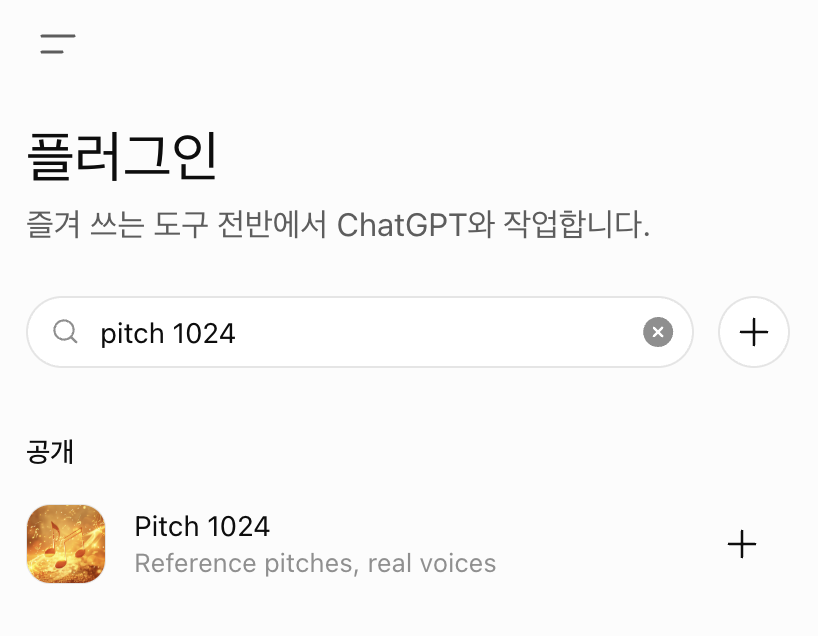
In ChatGPT
- Open Plugins and search “Pitch 1024”.
- Hit + to add it — no URL, nothing to paste.
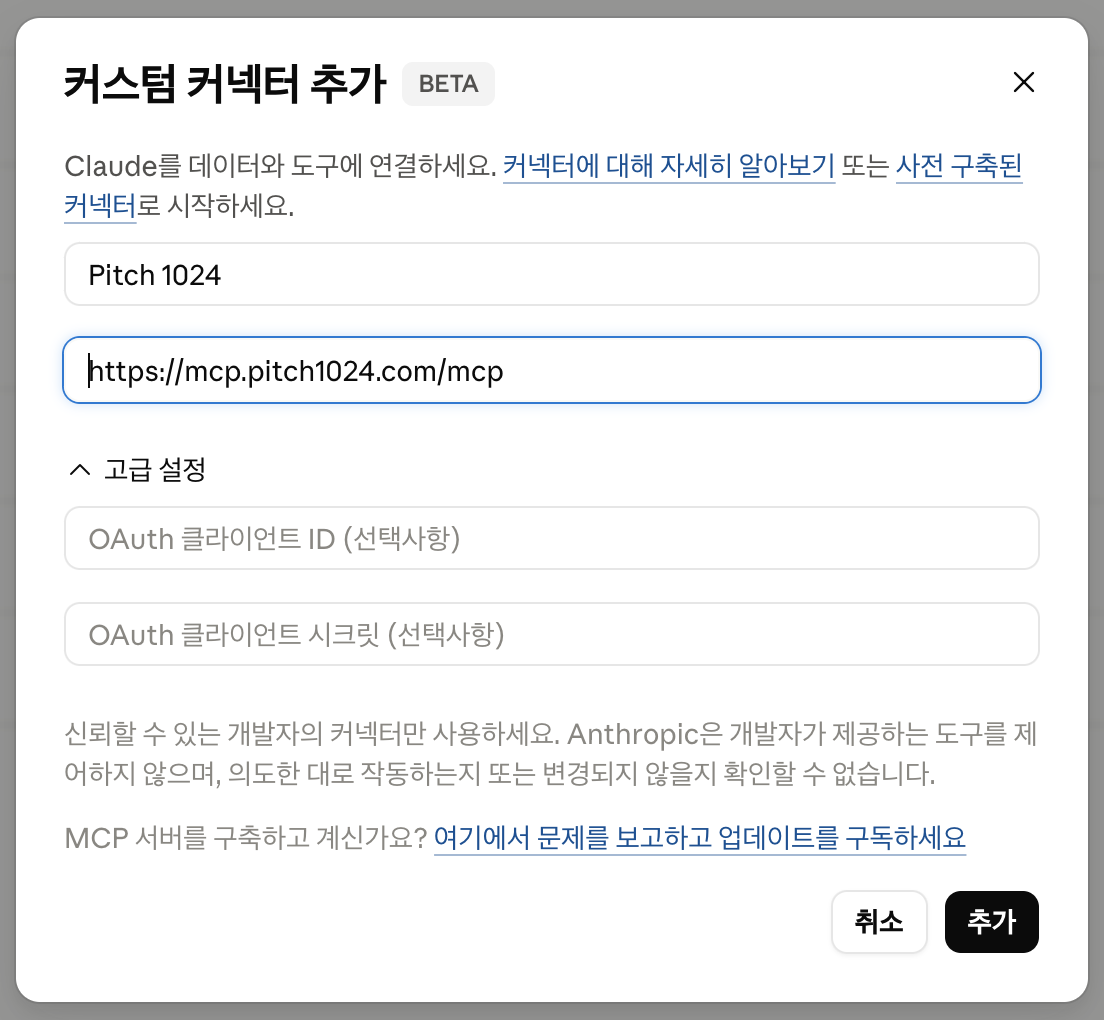
In Claude
- Settings → Connectors → Add custom connector.
- Paste this URL — leave authentication empty:
Then open a chat and try any prompt above — the pitch pipe appears inline, and the voices sing.